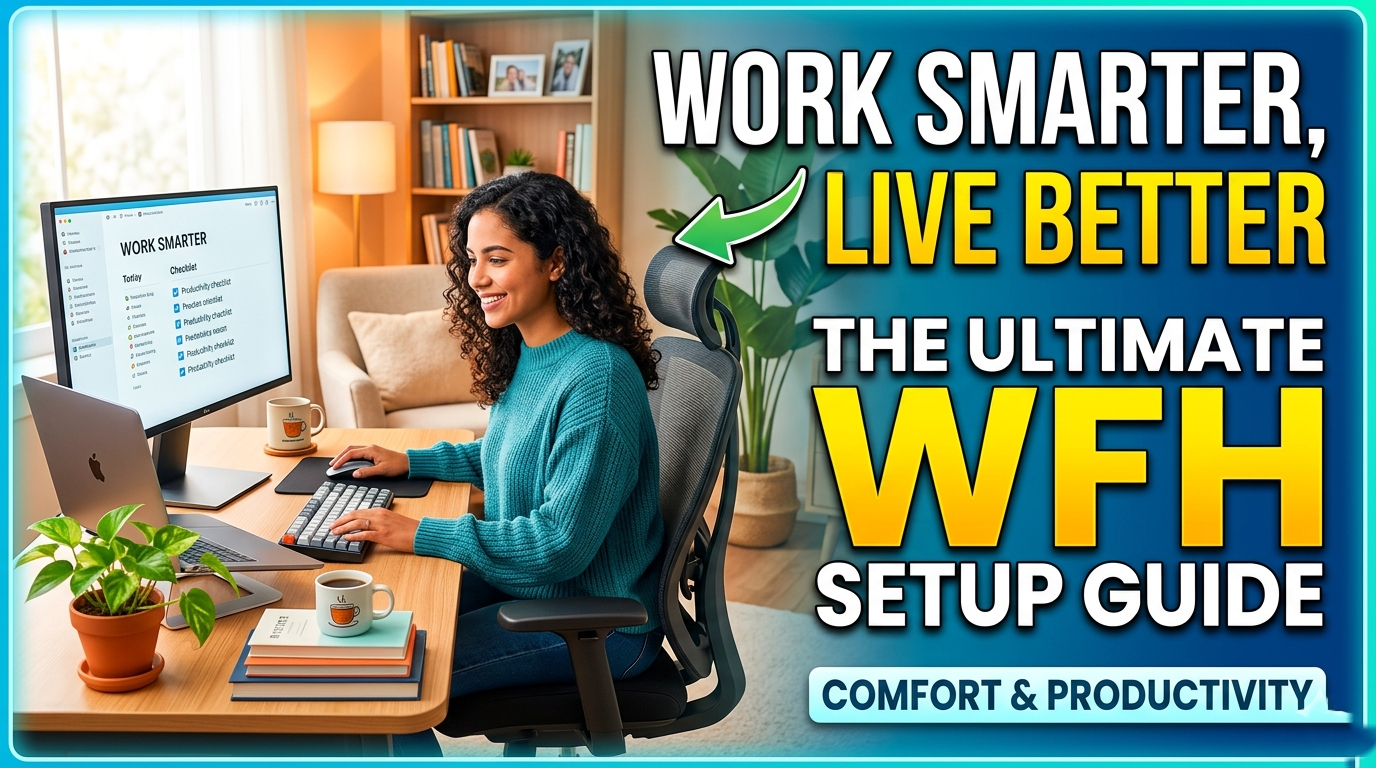
The global shift to remote work, accelerated dramatically by the COVID-19 pandemic and now firmly established as a permanent feature of modern professional life, has fundamentally transformed where, how, and when work gets done. According to a 2024 McKinsey Global Survey, over 60% of workers in developed economies now have the option to work remotely at least part of the time. Millions have embraced this flexibility permanently.
But working from home is not automatically better than working in an office. A poorly designed home workspace, the kitchen table, the living room sofa, a laptop balanced on your lap in bed, can undermine posture, focus, energy levels, and long-term health as seriously as any traditional workplace hazard. The difference between thriving as a remote worker and struggling through every workday often comes down to intentional design: of your physical space, your technology setup, your daily routines, and your mental and physical health practices.
This comprehensive guide covers everything you need to build and optimize a home office that works for you, regardless of your budget, the size of your space, or the nature of your work. Whether you are setting up from scratch, upgrading an existing space, or managing specific challenges like back pain, poor focus, or work-life boundary erosion, you will find practical, expert-backed guidance on every page.
1. Why Your Home Office Setup Profoundly Matters
1.1 The Effects of a Poor WFH Setup on Health and Performance
A poorly designed work-from-home environment does not merely create discomfort, it generates a cascade of physical, psychological, and professional consequences that compound over time. Understanding these effects is the first step toward taking your setup seriously.
Problem | Effect on Health & Performance | Root Cause in WFH Environments |
Poor ergonomics | Back pain, neck strain, repetitive strain injuries, carpal tunnel syndrome, headaches | Unsuitable chairs, desks at wrong height, laptop screens too low |
Inadequate lighting | Eye strain, headaches, fatigue, disrupted circadian rhythm, increased error rate | Reliance on harsh artificial light or insufficient natural light |
Noise and interruptions | Broken focus, reduced deep work capacity, increased stress, errors | Domestic noise, family members, pets, street noise, no acoustic separation |
Technology deficiencies | Slow workflows, communication frustration, missed opportunities, damaged reputation | Slow internet, poor webcam/microphone, unreliable equipment |
No spatial separation | Inability to mentally disconnect from work, chronic stress, relationship strain | Working in the bedroom or living space; no designated work zone |
Sedentary behaviour | Cardiovascular risk, back pain, weight gain, reduced energy and cognition | No commute, no office movement cues, desk-bound all day |
Social isolation | Loneliness, depression, anxiety, reduced creativity and motivation | Loss of casual office interactions, team presence, and peer energy |
Digital overload | Burnout, anxiety, sleep disruption, reduced attention span | Always-on culture, blurred boundaries, no physical separation from devices |
1.2 The Business Case for Investing in Your Home Office
Investing in a quality home office setup is not an indulgence, it is a professional and economic decision. A Stanford University study by economist Nicholas Bloom found that remote workers with optimized home setups were 13% more productive than their office-based counterparts. Research by Buffer's annual State of Remote Work consistently shows that remote workers who have designated, well-equipped workspaces report significantly higher job satisfaction, lower stress, and better work-life balance than those working from shared or improvised spaces.
The average professional spends 40 or more hours per week in their workspace. Even small improvements, a better chair, improved lighting, faster internet, produce compounding returns in comfort, output, and long-term health. This guide will help you make every investment count.
2. Ergonomics: The Foundation of a Healthy Home Office
Ergonomics, the science of designing work environments to fit the human body, is the single most important dimension of a home office setup. The musculoskeletal disorders caused by poor ergonomics (back pain, neck strain, repetitive strain injuries) are among the leading causes of workplace-related medical leave and long-term disability worldwide. Getting the basics right protects your body and sustains your capacity to work for years and decades to come.
2.1 The Ergonomic Chair: Your Most Important Investment
The average remote worker sits for 6-9 hours per day. Your chair is the piece of equipment with the greatest direct impact on your physical health. A poorly designed or misadjusted chair is the leading cause of the back pain, neck tension, and hip discomfort that afflicts a large proportion of home workers.
Lumbar support: Your chair must provide firm support to the natural inward curve of your lower spine. Without this, the lumbar spine flattens, placing enormous strain on the intervertebral discs and surrounding musculature over hours of sitting.
Seat height: Adjust so that your feet rest flat on the floor (or a footrest) with your knees at approximately 90 degrees. Thighs should be roughly parallel to the floor.
Seat depth: Leave 2-4 finger widths between the back of your knee and the seat edge to prevent pressure on the popliteal region, which restricts circulation.
Armrests: Adjust to support the forearms at a height where shoulders remain relaxed, not raised or hunched.
Backrest recline: A slight backward recline of 100-110 degrees actually reduces spinal disc pressure compared to sitting bolt upright at 90 degrees.
2.2 The Desk: Height, Space, and Configuration
Your desk height determines the position of your arms, wrists, and shoulders for every hour you spend working. An incorrect desk height is a primary driver of shoulder tension, wrist strain, and upper back discomfort.
Ideal seated desk height: Your elbows should be at approximately 90 degrees and your forearms roughly parallel to the floor when your hands rest on the keyboard. For most adults, this corresponds to a desk height of approximately 71-76 cm (28-30 inches).
Desk surface: A minimum of 120 cm (47 inches) wide and 60 cm (24 inches) deep is recommended to accommodate monitors, keyboard, mouse, and working materials without crowding.
Cable management: Built-in cable management grommets or aftermarket cable trays keep surfaces uncluttered, reducing visual distraction and cognitive load.
L-shaped desks: Ideal for those who need separate zones for computer work and document review, or dual monitor setups with additional working surface.
Standing Desks: The Evidence and Practical Guidance
Height-adjustable standing desks (sit-stand desks) have become the gold standard in ergonomic office furniture, and for good reason. Research published in the British Journal of Sports Medicine found that stand-capable workstations significantly reduce sitting time, lower back pain, and fatigue compared to fixed seated desks. However, standing all day is not the goal, alternating between sitting and standing is.
Aim to alternate between sitting and standing every 30-60 minutes. Most people find a 60/40 or 70/30 ratio of sitting to standing most comfortable initially.
When standing: monitor height remains at eye level, keyboard and mouse at elbow height, use an anti-fatigue mat to reduce lower limb fatigue.
Budget options: Desk converters (placed on an existing desk) start around $100-$200. Full electric height-adjustable desks range from $300 to $1,500+.
Recommended brands: Flexispot, Uplift, Autonomous, Fully Jarvis, all offer reliable electric sit-stand mechanisms at a range of price points.
2.3 Monitor Setup: Height, Distance, and Quantity
Incorrect monitor positioning is the most common cause of neck pain and eye strain in remote workers. The correct monitor configuration is straightforward to achieve and immediately impactful.
Monitor height: The top of the screen should be at or just below eye level. This positions the neck in a natural slightly-downward gaze rather than the forward head posture that causes cervical spine strain.
Monitor distance: Position the screen an arm's length away (approximately 50-70 cm). At this distance, text and images should be clear without needing to lean forward.
Tilt: Tilt the screen slightly backward (10-20 degrees) to align with the natural downward viewing angle.
Dual monitor setups: If you use two monitors equally, place them side by side with the join in the center directly in front of you. If one is primary, position it directly in front; the secondary at a slight angle to the side.
Laptop users: Never use a laptop on a flat surface for extended work. Use a laptop stand to elevate the screen to eye level and connect an external keyboard and mouse to maintain correct arm positioning. This is one of the most impactful ergonomic improvements a laptop user can make at minimal cost.
Pro Ergonomic Tip:
The '20-20-20 Rule' for eye strain: every 20 minutes of screen work, look at something 20 feet (6 meters) away for 20 seconds. This relaxes the ciliary muscles of the eye and significantly reduces eye strain and headaches. Set a discreet timer or use an app like Stretchly or Time Out to prompt these micro-breaks automatically.
2.4 Keyboard and Mouse: Wrist and Forearm Health
Keyboard: Position so that your elbows are at approximately 90 degrees and wrists are in a neutral position, not bent upward or downward. A keyboard tray that positions the keyboard slightly below desk height can achieve this where desk height is fixed.
Ergonomic keyboards: Split keyboards (e.g., Kinesis Freestyle, Logitech Ergo K860) reduce ulnar deviation (outward wrist bend) and are particularly beneficial for those spending more than 6 hours per day typing.
Mouse: Use a full-size mouse that allows the hand to rest in a natural position. Vertical mice (e.g., Logitech MX Vertical) significantly reduce pronation strain for heavy mouse users.
Wrist rest: Use a gel wrist rest while pausing, not while actively typing, resting on the wrist during keystrokes creates compression at the carpal tunnel.
Mouse placement: Keep the mouse directly beside the keyboard at the same height to avoid reaching, which strains the shoulder and rotator cuff.
3. Lighting: Protecting Your Eyes and Energizing Your Workday
Lighting is the most underestimated element of a home office setup. Poor lighting, whether too dim, too harsh, too warm, or poorly positioned, causes eye strain, headaches, fatigue, disrupted sleep, and even mood disturbances. Getting your lighting right is a high-return, often low-cost improvement.
3.1 Natural Light: Your Primary Asset
Natural daylight is the gold standard of office lighting. It provides a full spectrum of wavelengths that artificial lighting cannot fully replicate, and exposure to natural light in the morning is the single most powerful signal for anchoring your circadian rhythm, which directly governs your daily cycles of alertness, focus, and sleep readiness.
Position your desk to maximize access to natural light, ideally with a window to your side (not directly behind or in front, both of which cause glare or silhouetting).
Side-lighting minimizes screen glare while providing the indirect natural light that is most comfortable for sustained visual work.
If direct sunlight creates glare on your screen, use sheer curtains, a blind, or a monitor hood rather than blocking out natural light entirely.
Invest in a SAD (Seasonal Affective Disorder) light therapy lamp (10,000 lux) for use during winter months or in rooms with limited natural light, particularly beneficial for those in northern latitudes or working in basement or interior rooms.
3.2 Artificial Lighting Layers
A well-lit home office uses layered lighting, multiple light sources at different levels and with different purposes, rather than relying on a single overhead fixture.
Light Type | Purpose | Practical Tips |
Ambient (overhead) | General illumination of the room | Use warm white LEDs (3000K) for a comfortable base; avoid harsh cool fluorescents |
Task lighting | Focused light on your work surface to reduce eye strain | A quality desk lamp with adjustable arm and brightness; position to illuminate keyboard without creating screen glare |
Bias lighting | Gentle light behind your monitor that reduces the contrast between bright screen and dark background | LED strip lights (6500K daylight) adhered to the back of your monitor; significantly reduces eye fatigue |
Video call lighting | Illuminates your face evenly for professional video presence | A ring light or key light positioned in front of you at eye level; eliminates the unflattering top-lit or backlit appearance |
Accent / mood lighting | Improves the aesthetic and psychological comfort of the space | Warm LEDs on shelving, plants, or art; smart bulbs allow colour temperature adjustment throughout the day |
3.3 Colour Temperature and Circadian Rhythm
Light colour temperature (measured in Kelvin) has a direct effect on alertness, focus, and sleep readiness. Smart bulbs or adjustable LED panels allow you to synchronise your lighting with your biological needs across the workday.
Morning (waking up, planning): 5000-6500K cool daylight, supports alertness and cortisol awakening response.
Mid-morning to midday (deep work): 4000-5000K neutral white, supports sustained focus without causing evening sleep disruption.
Late afternoon (creative work, calls): 3000-3500K warm white, comfortable for longer visual tasks.
Evening wind-down: 2700K warm amber, supports melatonin production and sleep readiness. Switch all screens to night mode simultaneously.
Recommended: Philips Hue, Govee, or LIFX smart bulbs allow scheduling colour temperature changes automatically throughout the day.
4. Technology Setup: Building a Reliable, High-Performance WFH Tech Stack
Your technology infrastructure is the engine of your home office. Unreliable internet, poor-quality audio and video, inadequate processing power, and disorganised digital workflows are among the most common and costly sources of friction for remote workers. A well-configured tech stack removes obstacles and allows you to focus fully on meaningful work.
4.1 Internet Connection: Your Non-Negotiable Foundation
For most remote workers, the internet connection is the single most impactful technological factor in daily productivity. A slow, unreliable connection causes dropped video calls, laggy collaboration tools, delayed file uploads, and the kind of persistent low-level frustration that erodes morale and focus over a full workday.
Speed requirements: For a single remote worker: minimum 25 Mbps download / 10 Mbps upload for comfortable video conferencing, cloud tools, and file sharing. If multiple people work from home simultaneously, multiply accordingly.
Bandwidth test: Run a speed test at speedtest.net during working hours to understand your actual (not advertised) speeds.
Fibre broadband: If available in your area, fibre is strongly recommended for its speed, symmetry (equal up/down speeds), and stability. Many ISPs now offer gigabit fibre at competitive prices.
Wired connection: For maximum reliability and speed, connect your computer directly to your router via an Ethernet cable rather than relying on Wi-Fi. Even on a fast Wi-Fi network, a wired connection eliminates interference and dramatically reduces latency.
Wi-Fi optimisation: If wired connection is not possible, use a Wi-Fi 6 router and position your desk as close to the router as practical. Mesh Wi-Fi systems (e.g., Eero, Orbi, Google Nest) extend consistent coverage throughout larger homes.
Backup connection: Consider a mobile hotspot as a backup for critical calls and deadlines during ISP outages. Many mobile data plans offer a reliable fallback at reasonable cost.
4.2 Computer and Peripherals
Equipment | Recommendation | Budget Guide |
Primary computer | Laptop for flexibility (recommended for most) or desktop for maximum performance | Business-class laptops: $700-$2,000; Refurbished options offer excellent value |
External monitor | 27-inch IPS or OLED; 2560x1440 (QHD) minimum for comfortable daily use | $200-$600; Dell Ultra Sharp, LG 27UK850, BenQ PD2705U |
Webcam | 1080p minimum for professional video calls; 4K for content creators | $60-$200; Logitech C920s (entry), Logitech BRIO 4K (premium) |
Microphone | USB condenser mic for clear, professional audio on calls | $50-$200; Blue Snowball (budget), Rode NT-USB Mini (premium) |
Headphones/headset | Noise-cancelling headphones for focus; headset for long call days | $80-$400; Sony WH-1000XM5, Jabra Evolve2 65 |
Keyboard | Full-size or tenkeyless mechanical or quality membrane keyboard | $40-$200; Keychron K2 (popular), Logitech MX Keys |
Mouse | Ergonomic full-size; vertical mouse for heavy users | $30-$100; Logitech MX Master 3S, Logitech MX Vertical |
USB hub/dock | Connects all peripherals via single cable to laptop | $50-$250; CalDigit TS4, Anker 13-in-1 Docking Station |
Uninterruptible Power Supply (UPS) | Protects against power outages; keeps you online during brief outages | $80-$200; APC Back-UPS 600VA |
4.3 Essential Software and Digital Tools for Remote Productivity
Category | Top Tools | Best For |
Video Conferencing | Zoom, Microsoft Teams, Google Meet, Whereby | Client calls, team meetings, webinars, 1:1s |
Project Management | Asana, Notion, Monday.com, ClickUp, Trello | Task tracking, project timelines, team coordination |
Communication | Slack, Microsoft Teams, Discord (for async teams) | Team messaging, channels, async communication |
Cloud Storage & Docs | Google Workspace, Microsoft 365, Dropbox, Notion | Document creation, sharing, real-time collaboration |
Focus & Deep Work | Focus-mate, Forest, Brain.fm, Toggl Track, RescueTime | Accountability, distraction blocking, time tracking |
Password & Security | 1Password, Bitwarden, LastPass | Secure credential management; essential for remote work |
VPN | NordVPN, ExpressVPN, Mullvad | Privacy and security on shared networks; required by many employers |
Note-taking | Notion, Obsidian, Roam Research, Apple Notes | Capturing ideas, meeting notes, building a second brain |
Scheduling | Calendly, Acuity, Google Calendar | Managing appointments, availability, and time blocking |
Digital Whiteboarding | Miro, FigJam, Mural | Visual brainstorming, design sprints, remote workshops |
5. Workspace Design: Creating an Environment That Inspires Focus
The physical design of your workspace, its layout, colour, texture, sound environment, and sensory qualities, directly influences your cognitive state, creative capacity, mood, and sustained motivation. Environmental psychology research consistently shows that people work better in spaces that feel intentional, ordered, and personally meaningful.
5.1 Dedicated Space: The Importance of a Designated Work Zone
One of the most consequential decisions in any work-from-home setup is whether you have a genuinely dedicated workspace, a room, a zone, or even a specific area of a room, that is physically and psychologically associated with work and only work. Research by the American Psychological Association shows that spatial context powerfully influences cognitive state: the brain learns to associate specific environments with specific modes of thinking and behaving.
Ideally: a dedicated room with a door that can be closed during work hours. This provides acoustic separation, visual separation, and a clear psychological boundary between work and home.
If a dedicated room is not possible: use room dividers, a designated corner with a specific chair and desk, or even consistent use of the same physical position at a shared table as your designated 'work space'.
Never work from bed: this is one of the most harmful WFH habits for both work performance and sleep quality. The bed becomes associated with work stimulation, impairing your ability to wind down and sleep.
The commute ritual: without a physical commute, many remote workers report difficulty mentally transitioning between home mode and work mode. Create an intentional daily ritual that signals the start and end of work, a short walk, a specific playlist, a cup of coffee prepared in the same way. These rituals replace the commute's psychological function.
5.2 Acoustics and Sound Management
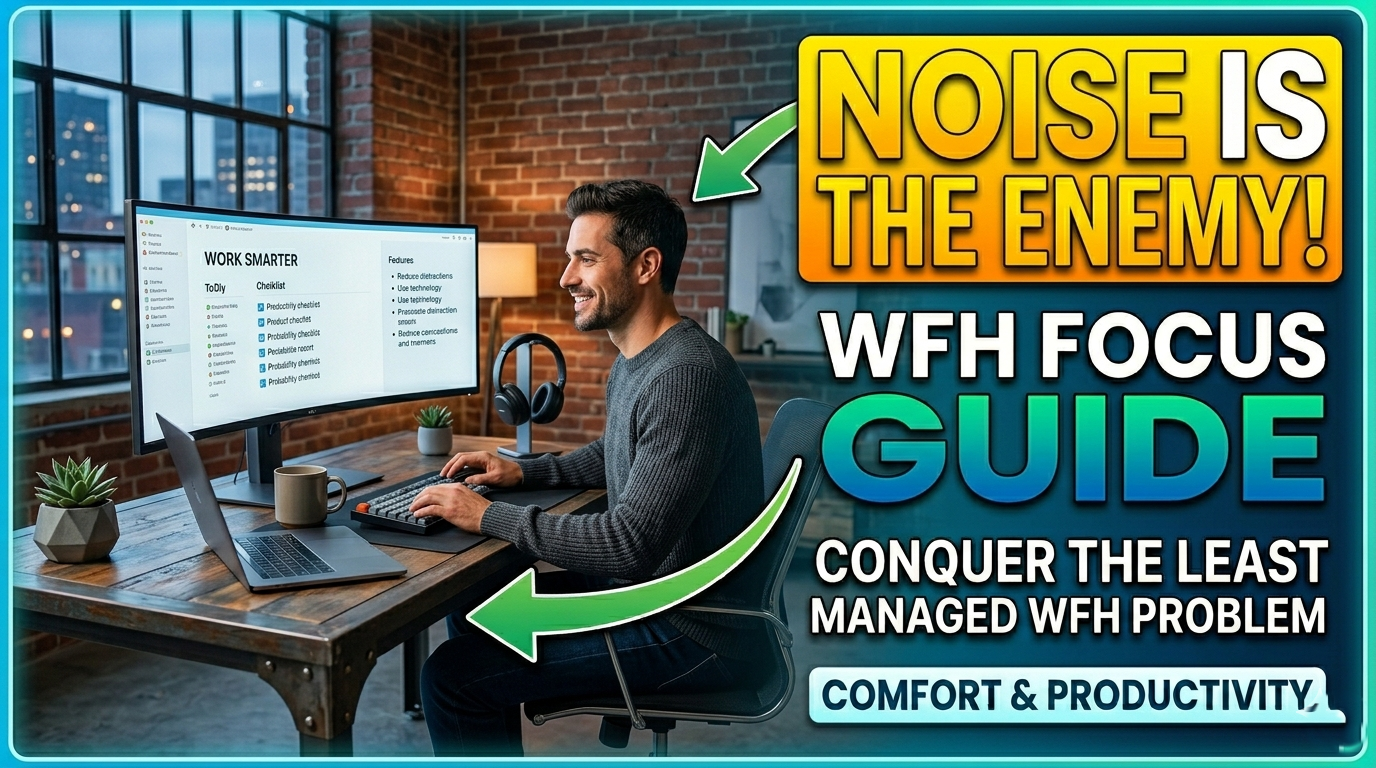
Noise is one of the most damaging and least managed aspects of home working environments. Research by the University of Cambridge found that irrelevant background speech, the kind produced by other household members, television, or street noise, reduces cognitive task performance by 20-40% on tasks requiring reading comprehension, writing, and complex thinking.
Acoustic treatment: soft furnishings (rugs, curtains, upholstered furniture, bookshelves lined with books) absorb sound and reduce reverberation, a significant problem in modern minimalist spaces with hard surfaces.
Acoustic panels: professionally designed acoustic panels mounted on walls can dramatically reduce sound reverberation and echo, particularly valuable for those recording audio or video content.
Noise-cancelling headphones: the single most impactful tool for managing unpredictable domestic noise. Sony WH-1000XM5 and Bose QuietComfort 45 lead the category for active noise cancellation quality.
White/brown/pink noise: ambient noise at 65-70 decibels (the sound level of a busy coffee shop) has been shown in multiple studies to optimise creative cognition. Apps like Brain.fm, Noisli, or even Spotify ambient playlists provide this.
Communicating with household members: agree on clear signals for 'do not disturb' (door closed, headphones on, a physical sign) and schedule household activities around your key meeting and deep work times.
5.3 Organisation and Decluttering
A cluttered workspace creates a cluttered mind. The Princeton Neuroscience Institute found that physical clutter in the visual field competes for neural resources, reducing the capacity for sustained attention and increasing feelings of stress and overwhelm. Organisational systems that keep surfaces clear and materials accessible are a direct productivity investment.
Apply the one-in-one-out rule: for every new item added to your desk, an existing item must be stored, donated, or discarded.
Invest in desk organisation: cable management trays, monitor arms (freeing desk surface), drawer organisers, and wall-mounted shelving transform even small spaces.
Digital declutter mirrors physical declutter: a clean, organised computer desktop, well-labelled file systems, and a consistent document naming convention reduce the cognitive load of digital navigation significantly.
The weekly reset: spend 10-15 minutes at the end of each Friday clearing and resetting your workspace for Monday. Starting the week with a clean, prepared environment is a powerful productivity ritual.
5.4 Colour Psychology in the Home Office
The colours of your workspace walls, furniture, and accessories subtly but measurably influence your cognitive state, mood, and energy levels throughout the workday. Research in environmental psychology provides clear guidance:
Blue: associated with enhanced focus, analytical thinking, and productivity; ideal for primary wall colour in workspaces requiring sustained concentration.
Green: calming, associated with balance and creativity; ideal for those managing high-stress workloads; easy on the eyes for extended periods.
Yellow: stimulates optimism, creativity, and energy; effective as an accent colour for creative professionals; can cause anxiety in excess.
White and light neutrals: maximise light reflection and create a sense of spaciousness; best combined with coloured accents for visual interest.
Red: increases heart rate and short-term attention; effective in small doses for detail-oriented tasks; overstimulating in large amounts.
Avoid dark, saturated colours on all four walls, they absorb light, reduce the sense of space, and can contribute to low mood in enclosed home offices.
5.5 Biophilic Design: Bringing Nature Into Your Workspace
Biophilic design, the intentional incorporation of natural elements into built environments, has a robust research base demonstrating improvements in well-being, cognitive function, and stress reduction in workspace settings. A famous study by the University of Exeter found that enriching a workspace with plants increased productivity by 15% and well-being scores significantly compared to a lean, minimalist workspace.
Houseplants: snake plants, pothos, peace lilies, and ZZ plants thrive in low-light office conditions. A single medium plant on your desk makes a measurable psychological difference.
Natural materials: wood, stone, linen, and leather surfaces and objects create tactile and visual connection to natural environments.
Nature views or imagery: if your workspace lacks a window with a natural view, high-quality photography of natural landscapes has been shown to produce similar, if smaller, restorative effects.
Water features: small desktop fountains provide gentle ambient sound that masks distracting noise while creating a sense of calm.
6. Productivity Systems and Daily Routines for Remote Workers
Physical setup creates the conditions for productivity, but sustainable high performance as a remote worker requires systems, daily routines, time management frameworks, and work habits that replace the external structure that office environments provide automatically.
6.1 The Remote Worker's Daily Routine Framework
Without the structure of commuting, fixed office hours, and in-person meetings, remote workers must create their own temporal architecture. A consistent daily routine is the single most reliable predictor of sustained remote work success.
Time Block | Activity | Purpose |
Pre-work (30-60 min) | Morning routine | Physical movement, nutrition, intentional start to the day, no screens for first 30 minutes |
Opening ritual | Workspace setup, daily planning | Review calendar, set 3 Most Important Tasks (MITs), prepare workspace, mental transition to work mode |
Deep work block 1 | Highest-priority cognitive work | Undistracted, single-task focus on your most demanding work during your peak energy hours |
Mid-morning break | Movement, hydration | 5-10 minute break from screen; walk, stretch, or change physical position |
Communication block 1 | Email, messages, calls | Batch process communications rather than responding reactively throughout the day |
Lunch break (30-60 min) | Meal away from desk, movement | Physical and cognitive restoration; ideally includes outdoor exposure and non-work social contact |
Deep work block 2 | Second priority focus work | Creative or analytical work during secondary energy peak |
Communication block 2 | Follow-ups, collaboration | Team coordination, reviews, responding to morning communications |
Planning and wrap-up | Review, next-day preparation | Close open loops, update task list, set tomorrow's priorities; formal shutdown ritual |
Post-work ritual | Transition out of work mode | Change clothes, walk, physical activity; signal to brain that work is finished |
6.2 Time Management Techniques for Remote Workers
Time blocking: Schedule specific time slots for specific types of work in your calendar. Treat these blocks as appointments you cannot cancel. Time blocking is used by some of the world's most productive people, including Bill Gates and Elon Musk.
The Pomodoro Technique: 25 minutes of focused work followed by a 5-minute break; after four cycles, a longer break of 15-30 minutes. Ideal for tasks requiring sustained concentration.
Eat the Frog: complete your most challenging task first thing in the morning, before email and other reactive demands consume your attention and willpower.
The Two-Minute Rule: any task that takes two minutes or less to complete should be done immediately rather than added to a to-do list, eliminating accumulating small tasks that collectively create mental clutter.
Batching: group similar tasks together into designated blocks (email processing, calls, writing, administrative tasks) to reduce the cognitive cost of context switching, which research shows can reduce productivity by up to 40%.
7. Managing Mental Health and Well-Being as a Remote Worker
The flexibility and autonomy of remote work offer genuine benefits for well-being, but they also introduce specific psychological challenges that must be actively managed. Social isolation, blurred work-life boundaries, always-on culture, lack of routine, and the loss of casual workplace connection are among the most commonly reported challenges of remote work.
7.1 The Effects of Remote Work on Mental Health
Challenge | How It Manifests | Management Strategy |
Social isolation | Loneliness, low mood, reduced motivation, disconnection from team culture | Schedule regular video calls; join virtual coworking sessions; maintain in-person social activities outside work |
Boundary erosion | Working longer hours than intended; inability to mentally disconnect from work | Define and protect a consistent work schedule; a shutdown ritual; separate devices or profiles for work and personal use |
Always-on culture | Checking messages evenings and weekends; anxiety about response time expectations | Communicate availability boundaries clearly; use status indicators; disable notifications outside work hours |
Loss of routine | Irregular working hours, disrupted sleep, skipped meals, reduced physical activity | Build a structured daily routine with fixed start/end times, breaks, movement, and meals |
Motivation fluctuations | Difficulty starting tasks, procrastination, reduced sense of accountability | Use accountability tools: Focus-mate, daily check-ins with a colleague, visible task boards |
Burnout | Exhaustion, cynicism, reduced efficacy, from sustained high demands with poor recovery | Protect genuine rest; take full lunch breaks; use all annual leave; seek professional support early |
Career anxiety | Fear of being 'out of sight, out of mind'; reduced visibility for promotion | Proactively communicate achievements; maintain regular 1:1s with manager; document impact |
7.2 Building a Sustainable Remote Work Practice
Protect your lunch break: step away from your workspace for at least 30 minutes. Eat away from your screen. This is not optional downtime, it is an essential cognitive and physical restoration period.
Move every hour: set an alarm or use an app to remind yourself to stand, stretch, or walk for 5 minutes every 60 minutes. Sustained sitting is a documented health risk independent of how much you exercise.
Maintain social connection: do not allow remote work to create complete social isolation. Schedule regular video coffee chats with colleagues, attend industry events, and protect non-work social activities.
Create a work-end ritual: a definitive, daily action that signals the end of the workday, closing the laptop, changing clothes, a short walk, or a specific piece of music. Rituals replace environmental cues the office automatically provided.
Seek professional support when needed: if anxiety, depression, isolation, or burnout symptoms persist, speak to a mental health professional. Many employers now provide Employee Assistance Programmes (EAPs) with free confidential counselling sessions.
8. Home Office Setup Ideas at Every Budget Level
Building an effective, comfortable home office does not require a large budget. The following tiered setups demonstrate how to prioritise investments at each price point, from getting started on a shoestring to building a premium productivity environment.
Category | Starter ($0-$500 total) | Intermediate ($500-$2,000) | Premium ($2,000+) |
Desk | Repurposed table or IKEA Linnmon ($50-$80) | IKEA BEKANT or simple standing desk converter ($150-$250) | Electric sit-stand desk: Uplift, Flexispot ($500-$1,200) |
Chair | IKEA Millberget ($80); add lumbar pillow ($20) | Branch Ergonomic Chair or Flexispot ($200-$350) | Herman Miller Aeron or Steelcase Leap ($1,000-$1,500) |
Monitor | Use laptop display; buy used 24" monitor ($60-$100) | New 27" QHD IPS monitor ($250-$400) | 27-32" 4K OLED or IPS with USB-C ($600-$1,500) |
Lighting | Reposition existing lamps; buy basic LED desk lamp ($20) | Adjustable LED desk lamp + ring light for calls ($60-$120) | Elgato Key Light + smart bulb system ($200-$400) |
Audio/Video | Built-in laptop mic/webcam; AirPods or basic headset | Logitech C920 webcam + Blue Snowball mic ($100-$150) | Logitech BRIO 4K + Rode NT-USB + Sony XM5 ($600-$900) |
Organisation | Cable ties, a desk pad, repurposed containers ($20-$40) | Cable management tray + monitor arm + drawer organiser ($80) | Full cable management + motorised monitor arm ($200-$400) |
Internet | Optimise existing router; go wired with $15 Ethernet cable | Wi-Fi 6 router upgrade ($80-$150) | Mesh Wi-Fi system + dedicated gigabit fibre line ($300+) |
|
9. Related Topics: Expanding Your Remote Work Knowledge
9.1 Work-Life Balance for Remote Workers
Work-life balance is the most frequently cited challenge among remote workers globally, according to Buffer's annual State of Remote Work report. When work and home occupy the same physical space, maintaining meaningful separation requires deliberate, consistent effort. Key strategies include: establishing and communicating non-negotiable work hours; creating spatial boundaries between work and living zones; protecting leisure, family, and self-care time with the same firmness applied to work commitments; and resisting the always-on culture that digital connectivity enables but does not require.
9.2 Cybersecurity for Remote Workers
Working outside the protected environment of a corporate office network introduces significant cybersecurity risks that every remote worker must address. Key practices include: using a reputable VPN to encrypt your internet connection; enabling two-factor authentication on all work accounts; using a password manager to maintain strong, unique credentials; keeping all software and operating systems updated; never using public Wi-Fi for work without a VPN; and following your organisation's data protection and device security policies. Cybersecurity threats targeting remote workers increased by over 600% during and after the pandemic shift, this is not a theoretical risk.
9.3 Digital Minimalism and Screen Time Management
The remote worker's relationship with screens and digital devices is qualitatively different from the office worker's, and more demanding of conscious management. With no physical separation between work devices and personal devices, and with the home office just steps away at all times, digital overload and screen addiction become occupational hazards. Digital minimalism, the intentional, selective use of digital tools in service of clear values and goals, is an increasingly important framework for remote professionals. Practices include: dedicated device-free times; app usage limits; regular digital audits; and conscious consumption of digital media.
9.4 Remote Team Collaboration and Communication
Working effectively as part of a remote or hybrid team requires specific communication skills and practices that differ meaningfully from in-person collaboration. Research by MIT Sloan Management Review identifies over-communication as a virtue in distributed teams: what feels like excess information in an office is often just adequacy in a remote setting. Best practices include: defaulting to asynchronous communication for non-urgent matters; creating explicit written records of decisions and discussions; establishing clear response time expectations; using video calls purposefully for relationship-building and complex discussions rather than for every exchange; and making informal social interaction a deliberate, scheduled activity rather than leaving it to chance.
9.5 Home Office Tax Deductions
In many countries, remote workers and self-employed individuals can claim tax deductions for expenses related to their home office. Eligible expenses typically include a proportion of rent or mortgage interest, utilities, internet costs, office furniture, and equipment purchases. The exact rules, thresholds, and calculation methods vary significantly by country, employment status, and tax authority. In the United States, the IRS provides a home office deduction for self-employed individuals; in the UK, HMRC allows a working-from-home allowance. Remote workers and freelancers should consult a qualified accountant or tax advisor to understand and maximise their legitimate entitlements.
9.6 The Future of Remote and Hybrid Work
The trajectory of remote work points toward hybrid models, the combination of remote and in-office working, becoming the dominant professional arrangement for knowledge workers in the coming decade. McKinsey forecasts that hybrid work will account for over 50% of all knowledge worker arrangements globally by 2030. This has significant implications for home office investment decisions: setups that support both full-time remote and hybrid arrangements, video conference-ready environments, and flexible workspaces that can accommodate changing schedules will represent the most durable investments. The home office is no longer a temporary accommodation, it is a permanent and strategically important professional asset.
9.7 Ergonomics for Specific Health Conditions
Standard ergonomic guidance applies broadly, but certain health conditions require tailored workspace adaptations. Individuals with chronic back pain may benefit from standing desk usage, ergonomic kneeling chairs, or inflatable seat cushions that promote active sitting. Those with carpal tunnel syndrome or repetitive strain injuries should prioritise split ergonomic keyboards and vertical mice, and consider voice dictation software to reduce keyboard usage. People managing chronic fatigue conditions benefit from adjustable lighting, scheduled rest breaks built into their calendar, and workload management tools that prevent overcommitment. Those with visual impairments should prioritise high-contrast, high-resolution displays and software accessibility features. A qualified occupational therapist can provide personalised ergonomic assessments and recommendations for complex health situations.
9.8 Sustainable and Eco-Friendly Home Office Practices
As remote work becomes permanent for millions of people, the environmental footprint of the home office, energy consumption, equipment disposal, and resource use, becomes an increasingly relevant consideration. Sustainable home office practices include: choosing ENERGY STAR certified equipment; using power strips with surge protection and off switches to eliminate standby power drain; selecting furniture made from recycled or sustainably sourced materials; properly recycling old electronics through certified e-waste programmes; optimising heating and cooling to avoid unnecessary energy use in the home office space; and leveraging the reduced carbon footprint that comes from eliminating a daily vehicle commute.
10. The Ultimate Work-from-Home Setup Checklist
Use this checklist to audit your current setup and identify the highest-priority improvements. Start with the items marked as most impactful.
Ergonomics
Chair adjusted to correct seat height, depth, and lumbar support
Monitor at eye level and arm's-length distance
Keyboard and mouse positioned to keep elbows at 90 degrees and wrists neutral
Laptop users: using a stand, external keyboard, and external mouse
Anti-fatigue mat in place if using a standing desk
20-20-20 eye break practice established
Lighting
Natural light available and positioned to the side (not behind/in front of screen)
Desk lamp providing task lighting without screen glare
Bias lighting installed behind monitor
Video call lighting illuminating face evenly
Colour temperature adjusted to time of day
Technology
Internet speed tested and adequate (25+ Mbps download for solo use)
Wired Ethernet connection in use (or Wi-Fi 6 router positioned optimally)
Computer meets performance needs for role
Webcam producing 1080p or better video
Microphone providing clear, professional audio on calls
All essential software tools installed and configured
VPN and cybersecurity practices in place
UPS protecting against power outages
Space and Environment
Dedicated, designated workspace established
Workspace separate from sleeping area
Clutter minimised; organisation systems in place
Acoustic environment managed (headphones, soft furnishings, or panels)
At least one plant or natural element present
Temperature comfortable for sustained focus
Space aesthetically pleasant and personally motivating
Routines and Well-Being
Consistent daily start and end times established
Morning and shutdown rituals in place
Lunch taken away from desk, daily
Movement breaks scheduled every 60 minutes
Notification management configured; no social media during deep work blocks
Social connection maintained: regular calls, community, in-person activities
Annual leave planned and protected
Conclusion: Your Home Office Is Your Professional Foundation
The shift to remote work is one of the most significant transformations in modern professional life. For those who approach it with intention, designing their workspace thoughtfully, managing their technology strategically, protecting their health and well-being proactively, it offers unparalleled opportunity for deep, focused work, meaningful productivity, and a richer integration of professional and personal life.
Your home office is not a consolation prize for not having a corporate office. It is a professional asset that you design, control, and optimise for your specific needs, your specific work, and your specific version of success. Every improvement you make, however small, compounds over the thousands of hours you will spend in that space across your career.
Begin with the highest-impact changes for your situation. Prioritise your physical health above aesthetics. Invest in what you use every hour over what you use occasionally. Build routines that replace the structure the office once provided. And remember: the best home office setup is not the most expensive, it is the one that enables you to do your best work, day after day, year after year.
Disclaimer:
Product recommendations, prices, and specifications referenced in this article are accurate as of the publication date (May 2026) and are provided for illustrative purposes only. Always verify current prices, specifications, and ergonomic advice with qualified professionals. This article does not constitute medical or legal advice.